This is site is about smartphones, tablets, PCs, Laptops, Operating Systems, Applications, and much more. Look for Android, iOS, and Windows News and updates.
TextNow is offering FREE unlimited calling this month for anyone on TextNow app right now. So if you like this new change from the Wireless company, please tell as many friends as you can about TextNow, rate with 5 stars, and they may extend it!
Note to everyone: Make sure you have the latest update of this app for these great offers and many more!
Checkpoint talks about the codename stagefright and in other words which is also known as Certifigate. This is the vulnerability that's going on right now in the Android world. You can get reports on this by downloading the free reports on the checkpoint official website. I'll leave a link below.
Digital attack map site shows live Ddos attacks happening in Real-time. It shows Top connections, volumetric, fragmentation, and applications. It will give you the size of bandwidth by Gbps. It will also give you the source and destinations. Will give you internals and in between countries as well. So if you want to see what DDos attacks look like in Real-time, go by the site.
Norse corp site will allow anyone to see live cyber attacks happen in real time. You can see who the attacker is, who is being attacked and even the IP address of the attacker. It's UI is sort of something right from a sci-fi movie. So if your interested in all this cyberspace stuff, check it out online now. Recommend you use a desktop or a laptop or macbook.
VPNs are a virtual private network that extends a private network across a public network, such as the internet. It enables a computer or network-enabled device to send and receive data across shared or public network as it were directly connected to the private network, while benefiting from the functionality, security and management policies of the private network. A VPN is created by establishing a virtual point to point connection through the use of dedicated connections, virtual tunneling protocols, or traffic encryption.
The HP Envy 15 X360 Convertible PC is a 2 in 1 PC. It is a laptop and it is a tablet as well. It can flip back 360 degrees. This means you will be able to use it as a tablet. Then you when you need the keyboard, you bring the screen back to its normal set. But that not all it can be used for. It has other modes as well. These modes are tent mode, entertainment mode, productivity mode, and presentation mode. This will all be shown in a video demo coming soon. So the real reason you all want to read about this is what it comes with. So frist, lets talk about the specs.
SPECS.
The HP Envy 15 X360 Convertible PC has a 15.6 FULL HD Touchscreen display. This screen is also huge in tablet mode. Also comes with a HD web cam that records in 720p. The screen resolution is 1920X1080. Which means in other words the screen is in 1080p HD. Now I know that is not the most powerful resolution, but te 1080p should be standard by now, as we have smartphones that can display 2K res and TVs with 4K and 5K monitors like iMac and Dells. But the 1080p on a laptop and tablet are still great for viewing web, movies, Youtube, and etc. This has a 4th generation Intel Core of i5 processor (1.7 GHz). But it can boost up to 2.4 GHz of turbo. It has 750 GB of Hard Drive space. This should be more than enough memory to the basic user needs. It also has 8GB of RAM for speed. This is pretty good for multi tasking and casual gaming and watching videos. You shouldn't any lags at all. This comes with full Windows 8.1 and 64 bit. Definitely would recommend 64-bit to anyone. So you are able to get the best out of Windows 8.1. It has WLAN and Bluetooth, and also has Touchscreen and multitouch enabled. There are also 3 USB ports, 1 2.0 USB and 2 3.0 USB ports, an HDMI port, a full SD card slot, a microphone,headphone jack, a volume rocker on the side, and a standard ETHER net port. One more thing, the keyboard has a LED backlit light on the inside. So you are able to type in dim lighting. Cool, huh?
FEATURES
It has 360 degrees of versatility. Its designed to stand out from the crowd. Work in notebook mode, watch in stand mode, play in tent mode and go in tablet mode. HP Control Zone Trackpad. This will allow you to navigate Windows 8.1 with ease. This product will also allow you to use Office 365 for free 30 day trial, Mcafee anti-virus for free 30 days and HP Cloud.
PROS
The good things about this PC is that it has more than enough memory and power for any user. The keyboard feels great when typing. The touchscreen is very responsive and you can even use a stylus on it to write and draw things with. The sound quality is amazing, forgot to mention that it has beatsaudio by Dre. So you get incredible sound when it comes to media. The trackpad is cool. You can do a lot of commands with it. The 360 degrees is just great, so many ways you can use this PC. Last thing, the price! Now if you not able to buy a Surface Pro 3, which they both pretty much do the same thing, this device cost $799.99 in Best Buy and $799.99 at HP.om
CONS
Now there are a few minor set backs. But what device doesn't have any at all? The battery life. I didnt mention the battery life at all. Well the reason being is because on a heavy usage without the plug, you will only get 3 hours! The most hours I got without it being charged up is about 5-6 hours on light usage. That means only surfing the web or checking emails and reading in tablet mode, doing school work, etc. It does get a little uncomfortable holding in tablet mode as this device weighs 5.5 pounds. It is pretty heavy in tablet mode. Also somewhat of HPs design with this device especially it looks uneven and not level off right like Lenovo's Yoga Pro device is. But to be honest, it really doesn't bother me as much. If you are worried about the keyboard being damaged when having it in tablet mode, it's best if you place the device on an even surface or flat table. In tablet mode, you won't have to worry about the keys setting something off because the keyboard will turn off. One more thing, you are a hardcore gamer, that likes playing call of duty and Halo or Gears of War, this device won't be able to run those games efficiently. But the Windows games and Xbox Live games play just fine. Like Fifa 15 and Halo Assault and Asphalt 8.
CONCLUSION
In the end, this device will get any task done. Whether you have it in tablet mode, notebook mode. Whatever you want it to do, it will do. Maybe even better. Looking at the Macbook? Well can that allow you to write and use to apps at the same time? Can it turn into a tablet as well? I think you all know what this convertible is able to do by now. I love this device. While I only had it for only about a week, I have been getting the most attention since I made the switch to a Hybrid PC. Any questions or concerns, leave a comment below. Thanks
Google has announced due to the Stagefright bug, that they will be releasing a monthly security update for all of the Nexus devices (4,5,6,7,9). Also alongside Google, Samsung, and LG are also suit to follow this trend. Very soon Android devices will be getting OTA updates for security purposes. Google has already promised that the Nexus devices would still be able to receive a OTA update for OS updates for at least 2 years and security updates for at least 3 years.
YouTube for the web is now updated with a transparent mode. The play options will allow you to see full video even while you are adjusting the settings to your video playback. So you can enjoy your viewing online with no difficulty. Just like how you watch on the mobile devices. This new update should be already rolled out if you haven’t seen it yet. A short clip will be in the below section.
Moto G is a great and awesome phone to praise as it is doing some insane things that we wouldnt even consider to be included in a budget phone. But, since it is a budget phone, there is a few draw back that some feel are a must have in todays smartphones. So, with most of the newer phones out now, we have seen wireless charging built-in phones. The Motorola Nexus 6 and now the Moto X Style and Play have wireless charging. They all even have moto turbo adapters for quick charging. So, why did Motorola leave out the Moto G? The moto G only has a 2470 Mah non-removable battery on the inside. But this a big plus considering the 2nd gen Moto G only had 2070 Mah battery last year. Motorola even stated that this battery will last “all-day”. This are not my words, this credited to Motorola. But, depending on a person’s usage and real time, only time will tell. Another thing that is missing from the Moto G that might run people away from the phone is that doesn’t have a high resolution screen. I mean. yes it is FHD, but it is only at 720P. But, there are a lot of phones out still with 720p display screens and it is not OLED or AMOLED either. The Moto G has IPS LCD. Which a lot of consumers dont like or afraid it isnt the best to sport. Also, there is no NFC found on the Moto G either. While we all know about the treding topic of the OnePlus 2 not having no NFC. Moto G isnt as powerful as the OnePlus 2 and shouldn’t ever be compared to the OnePlus 2. Its not stacked up to compete. But, more and more it seems that NFC is a must have now. Probably one more thing its missing is the USB-Type C port and cable. There is really only a couple smartphones and possibly laptops that have USB-Type C. Right now, I don’t feel that this should cause people to not purchase a easy buy off back without even questioning on whether or not to get it. But more of if this phone will fit your needs and wants out of a phone.
On July 28th, Motolora announced and launched the 3rd gen Moto G smartphone. It is the best in it class. It is one of the best at the low price points. What is helping the Moto G take the thrown is its premium look and feel and specs in the low budget category. This phone is also unlocked as well. So you will be able to switch from At&t, T-Mobile, Sprint, and Verizon Wireless. No more being stuck on a contract or just with one carrier. This year, the Moto G shows us that it withstand some underwater adventure with its IPX7 water resistance. It will survive 30 minutes under water and in 3 feet of water. What helps it with this is the back covers or removable. The phone will alert you if the cover isn’t snapped back in place to where the back covers will keep your phone from water damage. Another neat feature about the Moto G 3rd edition is that it is all the way customizable! Yes! Motorola included the latest Moto G to the Moto Maker. You can now pick your front face color, your back cover, and even engrave on the back of the device. So, now you can stand out from the crowd. The Moto G also sports a 5” inch Full HD display! Its nothing to be shooting fireworks off for, but with corner gorilla glass 3, the display shows great clarity and not washed out at all. For a budget phone you cant wish anything bad about a screen. Now the camera. Motorola said that with the new Moto G, the rear camera is 13MP and has the same camera that is in the Motorola Nexus 6! To be honest in way that is pretty silly and insane at the same time. But, they havent mentioned any improvements on that 13MP camera. So if you didnt like the Nexus 6 rear facing images, you might not like the Moto G’s either as it has f/2.0. Also the front facing camera is 5 MP. So this is a great selfie phone more than anything. For those of you that want to know the processor, it has 4 cores of quad with a Snapdragon 410. Now, for those of you who dont know. this is the same SD that is in the low bduget Moto E 2nd gen. Although Motorola said that this 410 is upgraded to Cortex A53 chip, you would have to spend more time with this device to see how well it holds up even against a phone like the Moto E and possibly the iPhone 6 and Zenfone 2. The model that I chosen is the 1GB of RAM and 8GB of ROM with included SD Card slot inside that can expand your memory up to 32GB. Like the Moto X, the Moto G does come with some cool Moto features. It includes the Moto Assist, Actions, and display. The coolest one is the one where you flick your wrist to open camera and snap a quick capture. This is convenient when it comes to those precious memories that are hard to get back. This phone has pure and stock Android on the device. This means, no bloatware, no OEMs apps installed on the device. It just has the basic Google essential apps and of course a couple Motorola apps for the phone. The Moto G is for everyone and anyone. Even if you already have a high-end phone, the Moto G is great backup phone if something is to ever go wrong with your main phone. For those that can’t afford the Galaxy S6, iphone 6, or the Nexus 6, you have the Moto X Style, X Play, and definitely the Moto G! But, I must say even with Moto G being a very good low price phone, it still has some competition in the cheaper price point range. We all seen the Zenfone 2 and the Alcaltel Idol 3 earlier this year and what they have accomplished just to be under the $250 mark. But the Moto G 3rd gen starts off at $179.99! You can purchase on Motorola website, in stores at Best Buy and on Amazon.com.
For the OnePlus 2, the HYPE was real! We now have seen hands-on about this device and what it can do and what it brings to the table. But, we also seen what it can not do and what deal breakers it lost and might cause it not to deliver on its promise as the Flagship Killer. Although, some of its specs are up to par with the Galaxy S6, M9, G4, and the iPhone 6 Plus, it was missing out on some key features. Last years's OnePlus One came with NFC. This year's OnePlus 2 doesn't include it as of right now. This is a major "Oh-no ". NFC you will need it for one major function "Android Pay". Android Pay will be Google's revamp of Google Wallet. Which will allow you to make purchases with your Android smartphones at grocery stores, gas stations, department stores and so on.. Hopefully OnePlus makes a fix. If not, you are not going to want to purchase the phone. Also another issue here is that this device won't come with a SD card slot. As we have recently seen Samsung make this move with the Galasy S6 and S6 Edge and possibly the Galaxy Note 5, OnePlus has also made sacrifice by not accepting SD card slots into their phones. Your only choices this year with the OnePlus 2 are a 16GB internal and 64GB internal storage version of the phone. These are you only choices. For goodness sake, why are companies still making 16GB internal storages on high-end smartphones? Even reports out are even saying that Apple's iPhone 6s is suppose to still bring a 16GB of internal memory to its flagships. Once again, Why! But, these are besides the points. Also, OnePlus 2 is equipped with the SnapDragon 810, which is also in the HTC One M9. This chip has been the talk of the year for its overheating madness. No word yet on if this is going on in the OnePlus 2 right now. But, will keep a close eye on this as more updates and news continue to unfold. day-by-day. OnePlus 2 also doesnt come with a removable battery as well. To some, this can be a big deal. But, once again I must reference to Samsung as this is becoming a infamous trend and it spreading like a wild-fire! With the 3,000 mah battery in the OnePlus 2 and a Snapdragon 810 chip, better pray battery life isn't a pain as this phone isn't equipped with a quick charger! What in the world OnePlus? What are you doing to your consumers! One more thing! The OnePlus 2 doesn't have is the Wireless Charging! No Wireless Charging at all is discovered here guys. You have to charge your device up using the USB Type C. Which seems pretty cool and nice and gamechanger. But, there is another issue here. It will take about up to 4 hours to charge your device up to 100%! Now, who wants to wait that long for their device to charge up? Are you all not seeing the big picture here? This should turn you all away from this device! Its really a NO BRAINER! The only thing that look attractive at this point is the price for the 3GB of RAM and 64GB of internal memory on phone is its price tag @ $389.99! We will talk about that in another article. But, remember what all you are missing and losing out of. This, my followers, and viewers, and readers is why the OnePlus 2 fails as being a "Flagship Killer".
Motorola just possibly may have announced the best phones of the year! Yes, Moto Play, Moto Style, and the Moto G 2015 Edition all look freaking amazing! They cost a third or 2 as some of the other flagship devices that are already out! None of these phones will even cost over $300-$400! Not to mention, they are all off contract! These phones are unlocked as well, so you can go to any major carrier with them. The cameras on these phones are by far some of the better ones other than the iPhone 6, Galaxy S6, and LG G4. Plus you can customize them with the Moto Maker on Motorola's website. You also will have one of the best assistance on your phone other than Google Now, which is the Moto Assistance. Based on the conference video, she seems to be more accurate than previous versions of her. You also get water resistance with the Moto G now because Motorola understands that accidents happen. They will all come micro SD card slots and will be able to insert 128GB of extra memory plus the internal memory. They will also come with Turbo chargers for longer battery life. They will also have NFC as well (Unlike OnePlus Two, cough). The displays will range from 5-5.7"inch FHD displays! The RAMs will vary between 1-3GB, depends on which models you choose. Either way, with that Motorola has announced today alone, Apple, Samsung, LG, and HTC now have their hands full! To be all honest, there should be no reason that Motorola fails this year. They now have the unbeatable phones! To OnePlus, I say the Moto Play, Style and Moto G 2015 are all the flagship killers! Moto G, X Style, and X Play all come with stock android and NO BLOATWARE!!!! The X Style and X Play come with Moto Turbo chargers which are faster than the Galaxy S6 chargers. But for the rest of my viewers and readers, if you would like to check out the specs on the new moto phones, head on over to the official Motorola website. The link is below.
Hello Apple fans and well as others! Freedompop has some great deals and great line up of phones now! Just announced recently and added to the family of FREEDOM! Here is the iPhone 5S! You can buy this phone now for ONLY $269.99! Talk about a cut! Apple's smartphones are so expensive and yet, they somehow still sell like hotcakes! Compared to Android budget smartphones! You could get about 4 decent Android phones for the price of one iPhone! But am I to judge, right? Want the best of the best. iPhone 5S now on FreedomPop, this would make your calls and internet service all for FREE! Yes, thats right! Calling, Texting, and data with the iPhone 5S would be free! You are only paying for this incredible bestseller iPhone. Now, why you turn this deal down? Well, if you don't want to turn the deal down, you may buy this phone now by clicking the link below. So, are you going to buy this phone or Android? Hmm...
Hello everyone, for those of you who are not afraid of being different more than the same. If you like to change the way of how your device looks or acts to certain functions, Google allows you to unlock the "Developer's Options" in your phone's settings. Below is a step by step process with screenshots and a video below as well. Break free of ordinary and make your phone work the way you want it to.
STEP 1:
Go to phone settings.
STEP 2:
Click on "About Phone" tab.
STEP 3:
Push the "Build Number" 7 times!
STEP 4:
Developer Options are now enabled!
STEP 5:
Customize how your phone functions the way you want.
Flynx is a browser that helps you open links and articles from all your favorite apps like Facebook, Twitter, Whatsapp, Google+,etc. This app is one of those must have apps that everyone can benefit from. It will load up the articles and links in the background so you can continue to work productively. Flynx will get rid of ads and unnecessary clutter from blogs and articles, helping users save a lot of mobile data. This browser will even allow you to save articles to read them offline. This app also makes multitasking a breeze. Flynx will also allow you to share links fast and simple to your favorite apps like Facebook, Twitter, Google+ or even to other apps such as Pocket, Instapaper, Readability, Evernote, Keep, etc.
Rovers is a launcher that floats and will always be there for you. It is the perfect multitask utility on Android. Rovers is always here for you and above any other app. You are just one-click away from your favorite apps, shortcuts, and actions. Customize Rovers the way you want it to be. You can choose any icon and color for each of your Rovers. Organize Rovers in Folders. Hide the floating trigger on the notification panel. You can even check out the settings screen. It even comes with special one-click shortcuts. You can one-click Memory of ram, go back to home, toggle flashlight, and even direct call someone.
Rovers floating launcher is the future of how our mobile devices should be used. Without any complications. I definitely recommend this app if you are into multitasking and wanting to stay on top of your favorite things to do. This app definitely can compete with Samsung's S6 Edge Plus Edge People and Edge Notification feature. There is a hands on video below on how this application works.
The battery doctor can help extend the standby time of your phone and tablet. This app has intelligent power saving, accurate power remaining forecasting, and professional charging capabilities. You can actually save power and extend batter life using the app. Battery Doctor has a variety of features and battery tips that will ensure you can always get the most out of your device. Batteries lose their power when extra apps and hardware are running needlessly. So battery doctor can shut the apps in the background down. This will significantly improve your battery life and boost performance. This app is really helpful and will let you know when to charge battery and when to unplug device from the charger. Are you using this app? This app is available on iOS and Android. Let me know your experience with the Battery Doctor app. Hands-On video coming soon.
IFTTT puts the internet to work just for you. It gives you a creative control over the products and apps you love the most. It will upload photos instantly to your Facebook, Twitter, and Instagram. It will also help create events in calendar also. The IF recipes will run automatically in the background. It helps you create powerful connections. With the IF recipes you can even save call logs and text messages through Google Docs and Google Sheets. No need to worry about ever losing a phone number or trying to find a missing message again. IF recipes will save them and back them up. I definitely would recommend this app if you need some extra assistance of getting things done and organized on your smartphone.
Just in case you all dont know TextNow is. TextNow is an company that was just a free text and calling options as a wifi only application. you can earn free call minutes by watching videos or doing special offers. You also are able to buy minutes as well. This app works as a free texting and calling option to save you on your monthly bill with your already carrier or plan. So a couple years ago, Sprint brought them on board and made them a wireless carrier. They really didnt have a very good selection of Android phones at first. But since then, they have grown. You can purchase phones such as Moto X, Moto G, Galaxy S4, and even the Google Nexus 5! This year they celebrate their 2nd year as wireless provider. For their celebration, they are dropping their prices on all the phones they have available just for 48 hours starting today! You can purchase a Moto G for only $10.99! WTF! If I can use that on this. Yes, for the next 2 days you'll be able to purchase a Moto G for only $10.99 on their official website. I'll leave a link below after the break... If you are already using the TextNow app, you should have received a message from the TextNow Team about this great occasion. So say goodbye to expensive traditional phone plans! TextNow!
The Solid Explorer File Manager is one of the best, if not the best File Manager app available out there on the Google Play Store. With the latest update, it comes with Material Design! It includes 2 independent panels serving as file browsers. It has rich customization options such as icon sets, color schemes and even themes! You can also drag and drop in between panels as well. It also supports FTP, STP, WebDav, and SMB/CIFS clients. This app has the ability to read and extract ZIP, 7ZIP, RAR and TAR archives, and even encrypted. It also gives you the ability to create passwords to protect ZIP and 7ZIP archives. This app allows you to interact with your cloud file managers such as DropBox, OneDrive, and Google Drive and many more. Root access is also available as well and makes Solid Explorer more full functional as a root explorer. So if you are looking for a good file explorer with a sleek, modern look and many features, then this is the app for you. Check it out and see for yourself. Now available on the Google Play Store.
WiMan is a wifi manager that scans all the WiFi networks around you. It will help you discover the best one with just one tap. You can connect to Wifi and save money at the same time. You can unlock WiFi and make the Wiman community bigger. You can share your WiFi networks with the community. You can get access to WiFi networks unlocked by people like you. It will also allow you to check your network stats as well. Want to know how well the WiFi network speeds are? Take the speed test that is included in the app also. Need to make a video call or listen to streaming music? Discover the networks that actually work for you. Download Wifi maps and take them along with you. You could be taking a trip or visiting a friend's house. Keep surfing free everywhere you are just by downloading the map for offline use. This by far one of the best WiFi manager apps out there. You can see for yourself. This is now available on the Google play store and the App Store.
Hello everyone. It seems to me that today we are so caught up in the world of having a lot of internet and data. We don't really get to sit back and think about what we have in the palm of our hands. Our smartphones and tablets are so much smarter and cooler than what we have thought of. So many of us feel so lost without internet or data or wifi connectivity. Well there are some solutions for that. These are called apps you can use offline. These apps will allow you to still be able to keep things going in between time of looking and searching for internet or wifi. Here is a list in no particular order below.
APPS YOU CAN USE OFFLINE ON ANDROID:
Holy Bible KJV (Offline)
No Internet connection required for downloaded bibles
HERE app
Search, navigate, and get directions around the world, even offline.
Snap Share
The World's Fastest Offline Sharing Tool that is developed by the clean master team.
Google Translate
Translate offline while traveling. No Internet connection required.
Pocket
Save articles & videos to view later- the subway, a flight, or on your couch.
Wikipedia for Android
Saved pages: save select pages for offline usage. Read and browse them without no data connection or Internet.
Bible by LifeChurch.tv
Read the bible even offline
Google Play Books app
Read books and comics and magazines offline.
Google Play Newsstand
Go Offline- Access any news edition, topic, or magazine offline without missing a page. Bookmark news stories for when you don't have time to read, read later.
Evernote
Offline access- work anywhere, even without a connection.
Spotify Music-
You can download music for offline listening.
Gmail:
Get you messages instantly via push notifications, read and respond online and offline, and find any message quickly.
WhatsApp Messenger:
FOR OFFLINE MESSAGES ONLY: Even if you miss your notifications or turn off your phone, WhatsApp will save your recent messages until the next time you use the app.
(Top Android Apps For Offline Video)
So, as you can see there are a lot of apps that work without needing a internet connection or the use of your data. You can check these and more on the Google Play Store. Google also allow you to use maps offline as well and pretty soon the Google Now features will be able to run offline. So keep it locked here as there will be more apps added to this list. Well, I hope I saved you some trouble and data. If you have any suggestions, leave a comment in the comments section. Thank You.
This is a great buy and deal! FREE text and calling and 500MB of data for no charge! The only thing you are buying is the Galaxy S5! You will not find another offer like this anywhere! Freedompop and Newegg teamed up to give you a deal of a lifetime! Free service! Free internet! Click the link below to get this deal.
Hey guys! Great news! FreedomPop is now available in stores! Well, one major store. Thats right. According to blog released from FreedomPopNews, you will be able to purchase a FreedomPop smartphone from Sam's Club, There are only a few to choose from featuring a Nexus 5. But, this is a great start, so you won't have to go online and purchase and wait for a week to receive it. You can go in the store today and check them out. This a move that FreedomPop has made. So, what do you all think about this news? Will you now break free and enter the world of free all access? Leave your thoughts below in the comments section.
HAPPY 4th of JULY!!!! What a way to celebrate it with some freebies! The e-books below are part of today's FREE E-BOOK FRIDAYS on the Nook app. Check these out below and you can download them from the links given...
The Unforgivable Fix
A detective from the Seattle PD wants to sell his house. He was left with his tow kids after his wife had passed. But the kids are grown now and moved out. He has a son who has a wife now and they are on their own. He has a daughter who he doesnt come around much and lost connections with her. Then one day she comes back to the house where all the memories comes back and now she wants her father help...
FREE ebook FRiday Bonus!
This is a free bonus for today for the upcoming special of GO SET A WATCHMAN. The book actually releases on July 14. But you can get an exclusive access to it as a SAMPLE today. You may download these ebooks now for FREE!
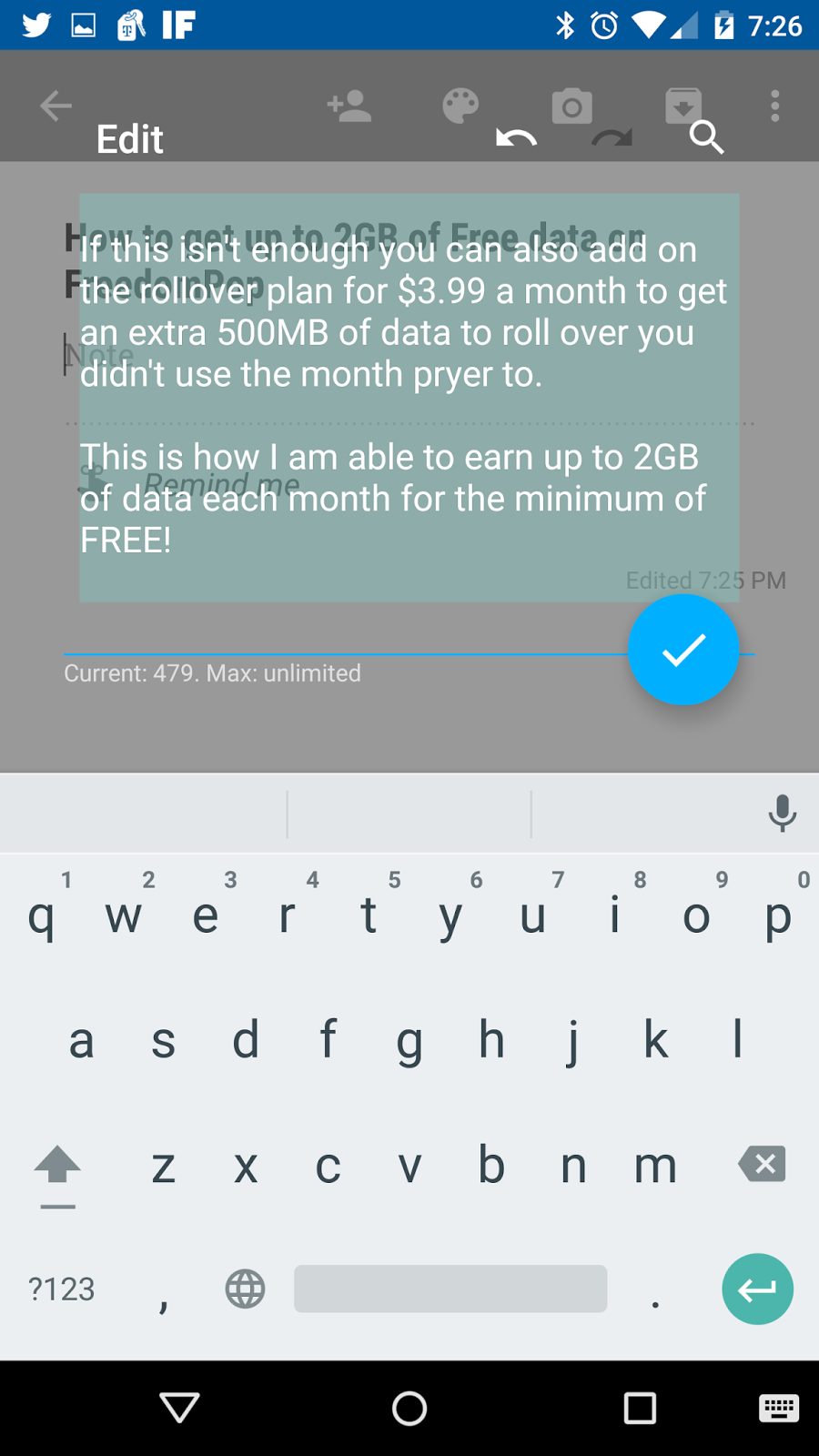
Inputting+: Universal undo redo for Android (demoed in image above by iTechUOutGuy)
Inputting+ brings a smart floating bubble that will automatically pop appear when you start typing. This bubble will help you redo, undo, and help find replacing text and help insert faster in clipboard section. There is also a Pro version that you can purchase for just $0.99. If you are tired of trying to find a redo or undo option, then here is what you have been looking for. You can download the free version now on the Google Play Store for Android devices. Give it a spin. One more thing, as of right now, it does not work with the WebView or Google Docs or Google Chrome just yet. But I have tested it out in the Messenger app, Twitter, Google Keep, and Google+. Leave all comments below. There will also be images and video hands on footage below.
Google Hangouts gets an major update today! It has finally gotten the Material Design refresh for the app! Yes! But, wait... This update has only come to the iOS devices for now? No Android update just yet. As usual, iOS is getting the major updates from Google's app first this time. As we all knew about the much needed revamp for Google Hangouts. Still don't understand why the wait and why did Google go ahead and release it first to iOS? The crazy mysteries of developing I guess. But below are more images of the refresh look for Google Hangouts app. So are you happy for this update? Do you use Google Hangouts app? Why or why not. Drop these comments below! Hands-On Videos coming soon!
Hello everyone! Here is my first episode of the month! Today, you can download this free ebook now to start kick your Friday and weekend! This ebook is available now on the Nook app or your Samsung Galaxy Tab 4 Nook. Check it out! I'll leave a quick description below.
QUICK DESCRIPTION:
There are scratches on Cèsar Hawke’s arms, a discharged Glock on his coffee table, and a dead woman in his bathtub. Yeah, maybe he brought the waitress home for some fun — he was too drunk to remember it — but he knows for a fact that he didn’t kill her. He’s an agent with the Office of Preternatural Affairs. He doesn’t hurt people. He saves them.
There is 4 ways to earn free Data using FreedomPop. There is a basic package plan for data where you can receive 500mb of data for free every 30 days. If that isn't enough, you can invite your family and friends to sign up to FreedomPop and this will give you extra 500MB just for bringing family and friends alone. Then this will help you receive even more data! When you feel you are getting low on data, just ask a friend or family member to send some data. This will give you another free 500MB for a month! One more thing, FreedomPop allow you to get free Data by doing free offers from other sponsors and advertisements such as downloading apps, watching videos, doing surveys, and getting quotes from car, health, roofing, and life insurance. You can easily on average receive 2GB of data for free! Plus those free offers that are available for you to check out. To start you all off on earning free Data, I'll let you get some data on me. Here are my email Addresses: Dwight.money53@gmail.com, dwightgolidayjr@gmail.com, and dgoliday@hotmail.com. Use my email address and invite me to your account or once you have joined freedompop. Thanks #BreaFree #fpambassador
Although Windows 10 is just near months away. I am ok with Windows 8.1. I like how I can use apps as well as the web versions and programs just with the desktop. I also like the split windows and I can have up to 3 apps open at one time. Mainly my social media apps can be easy to communicate with all my family friends. I like that all of my apps and programs can be found in one place. If cant find something, I can always use the search bar if needed. I also like that since my laptop is touchscreen and is able to rotate in 360, that I am able to use the screen to write out my notes or make note of somethings. I like drawing as well. I also use my Xbox One controller to play my xbox live and windows games too. I can even add my 500GB external hard drive add additional memory if needed. I have my own voice assistant included with my laptop as well, her name is Dragon Assistant. She is not Cortanna but I don't need Cortanna if I have her to help me surf the web, open emails, open apps, look up weather, or search on the maps. She is just perfect in any way. I am still able to use all my favorite Google apps and browser as well. I am able to still get my work done and play efficiently. But I know Windows 10 will bring back some minor features that Windows 8 and 8.1 took out, but I am fine with how I use my Windows 8.1. I really think that the tiles would have done much better on the tablets and smartphones compared to PCs and laptops. If Windows came out with 2 types of OS, one for Desktops and one for tablets, but allowed them to work together and kept the start menu on Windows 8.1, there wouldn't be a need for Windows 10 so soon. So as we coming down to the wire of the official release of Windows 10, do you all still want Windows 10 or no?
Hello everybody this is iTechUOutGuy. I'm a blogger, a youtuber, a techie. I like talking mostly about android, some windows and ios sometimes. I like to try and be informative. I love talking about apps and games and customization mostly. Will also add in things like movie apps, music and productivity. I have no favorite app at this time. That is a really hard one. So there you guys have it. If you like my content and videos, please feel free to subscribe.