Showing posts with label App. Show all posts

Saturday, October 3, 2015

Notify Update V 1.8 Review For Android

Notify Beta app is a nice  Heads-Up app for Android. It a notification that floats on screen and disappears in a matter of seconds if you don't reply or respond to the notifications. There are now more than 60 apps that work very well with this application. This notification app won't interfere you with what you are already doing on screen.  You can swipe it away or jump right into the action of the notification. A few months ago, I did a app review on this application. I even was contacted by the developers (Skyler Martin) about it for a follow up. So this is fellow up on how the app has progressed and changed. Now from the past few days it has been working just fine on my Motorola Moto G3 and my Motorola Nexus 6. But the only CON I have seen with this app is that on my Motorola Nexus 6, it uses up 127MB of RAM, but on my Motorola Moto G 3rd Gen, it only took up 27MB. Which is a little odd. But I have reached out to the developer about this and there will  be a patch fixed in the next update.  Other than that, this app is great! It does what it says it will. Thats notify you.  Below are some screenshots in what app looks like and how it works, I will also leave a video below.  For those of you who havent tried this app, I do recommend it.  One more thing, for those of you on Android Lollipop, you will need to download the app called "Heads-Off" to disable the default heads-up settings.

DOWNLOAD NOTIFY BETA APP HERE...


NOTIFY APP VIDEO


Sunday, September 20, 2015

Long Tap on App Draw To Bring Up App Searches In Google Now Launcher

LONG TAP THE GOOGLE APP DRAWER TO SEARCH APPS

Hello everyone, this may be new to some and old to others. But in the latest update on Google Now Launcher App Drawer, you now can long press the app drawer to pull up the Search Bar for the apps with the Android 6.0 App drawer in the Google Now Launcher. Just watch the video from above to see exactly how this works.


Thursday, September 17, 2015

Google App Update Brings Now On Tap and Android M App Drawer


Android M app drawer (image above)

Google App Update 5.3.19.19 brings some familiar features and functions that we have seen earlier this summer.  For the Android M Preview 3, Now On Tap is officially usable. But reports have been saying that is still a little buggy and not as responsive.  But, it is there now and you check it out yourself.

Also what comes along with the latest Google App update is that for any user using a older version of Android (meaning Kitkat and up) you now get the Android M app drawer. This app is the latest build, which gives you a vertical app drawer instead of a horizontal drawer.


New Widget Drawer as well (Image above)

The widget section in the update has some minor changes as well. 

Below is also a video to show hands-on of the latest update and how it will work. If you want the APK link it is down below too.


APK Mirror

Tuesday, September 1, 2015

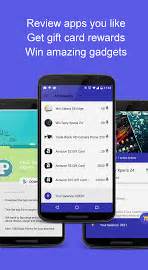
Buzzinga: Rewards for Reviews


This is a app that lets you review other apps and earn Gift Cards and get a chance to win FREE prizes.  Check this app out now and get a move on earning and reviewing. You may download it now on the Google Play Store. Click on the link below.


DOWNLOAD HERE

Tuesday, August 25, 2015

MRU Widget

MRU Widget stands for Most Recently Used widget.  This app holds all of your most used apps in a box on a homescreen of your Android device.  With this app, there would be no need to use the recent apps menu toggle. All of your used apps would be right in front of you.  In the app settings of this application, you can blacklist apps that you do not want to show up in the widget box, range column count from 1-7, range row count from 1-5, change the application mode.  and change the update rate on how fast you wan the app to update the box with most recent used apps.  The widget looks very clean and smooth. You can even change the color of the fonts and background of the box. You can also change the size of the app icons from extra small to extra large. Customize it to your liking.  There is also a pro version of this app as well that will let you do more than what the free has to offer.  But, the free version alone can do a lot. You can check out some screen shots and videos below of what this app can do...

Download the MRU Widget app here...

MRU Widget app


MRU Widget

MRU (MOST RECENTLY USED) WIDGET APP


Pocket BETA app for Android

Pocket app itself has been out for some years now and is one of the most recommended apps for Android and iOS. This allows you to save articles, links, and even YouTube videos you want to read and watch later.  You can also organize the files and links and videos the way you want to.  You have a archive mode, my list mode, video mode, and favorites mode.  In the new beta version, Pocket comes with just 2 main tabs from its homepage. One is the "My List" tab where your most recent saved articles and videos and links are and another tab is called "Recommended" tab, where Pocket predicts which articles and videos you might be interested in.  Now if you are worried about this app collecting your data and information about your interest and habits, then you might not like this version of Pocket beta.  Another reminder, that this app comes in handy for those of you that are on a data budget and need offline access for certain things.  This app can work offline.  In the video below will show you the latest version and the new features that comes with it.  So are you using Pocket app? Leave your comments below...

You can download the pocket app below....

POCKET FOR ANDROID


POCKET BETA app homepage


POCKET BETA APP REVIEW VIDEO


Notify BETA- The Best New Notification App


Notify BETA app on Android

The Notify application is fairly new app on the Google Play Store right now with just over 500+ downloads. Although it is still in beta form as you can tell from the image above.  There isn't much to customize at all in the application.  All you need to do is just make sure the app is turned on from within the settings menu and it should be good to go.  One catch I may add if your in Android 5.0+, you need to download a app called "heads-off".  This other app will disable your original app notification settings.   In  the screenshots and video below, you will see what the app can do once you have received any notifications from another app on your device.  One more thing that you should is that this app does not require root access.  No need to root your android device for this application to work and run smoothly. Which is always a plus for me in my books.  So everyone with a android phone, give this application a try and let me know your thoughts.  A full review coming soon.

DOWNLOAD APP HERE


NOTIFY BETA APP HANDS-ON VIDEO


Friday, August 7, 2015

Textra App


Textra comes with a simple, beautiful, and fast way to text!  It has a new flat style emojis.  The fixed firmware (4.4) issue that made Textra slow and often freeze with certain third party keyboard.  It also came with some bug fixes.  It even gives you protection from Stagefright!  Video messages can contain an exploit called Stagefright that can harm your phone.  Textra SMS protects by ensuring new video messages can not automatically run exploit.  This app also has new smooth animations when going from conversation list to search screen.  So this maybe the app to save most people for now until the carriers and companies come up with patch for Stagefright.  So guys check this app out. It is now free on the Google Play Store. 


Sunday, July 19, 2015

Battery Doctor Best Battery Life Saver on Mobile Devices!

BATTERY DOCTOR


The battery doctor can help extend the standby time of your phone and tablet.  This app has intelligent power saving, accurate power remaining forecasting, and professional charging capabilities.  You can actually save power and extend batter life using the app.  Battery Doctor has a variety of features and battery tips that will ensure you can always get the most out of your device.  Batteries lose their power when extra apps and hardware are running needlessly.  So battery doctor can shut the apps in the background down.  This will significantly improve your battery life and boost performance.  This app is really helpful and will let you know when to charge battery and when to unplug device from the charger. Are you using this app? This app is available on iOS and Android. Let me know your experience with the Battery Doctor app.  Hands-On video coming soon.

Monday, June 29, 2015

Google Hangouts App Update V 4.0 on iOS


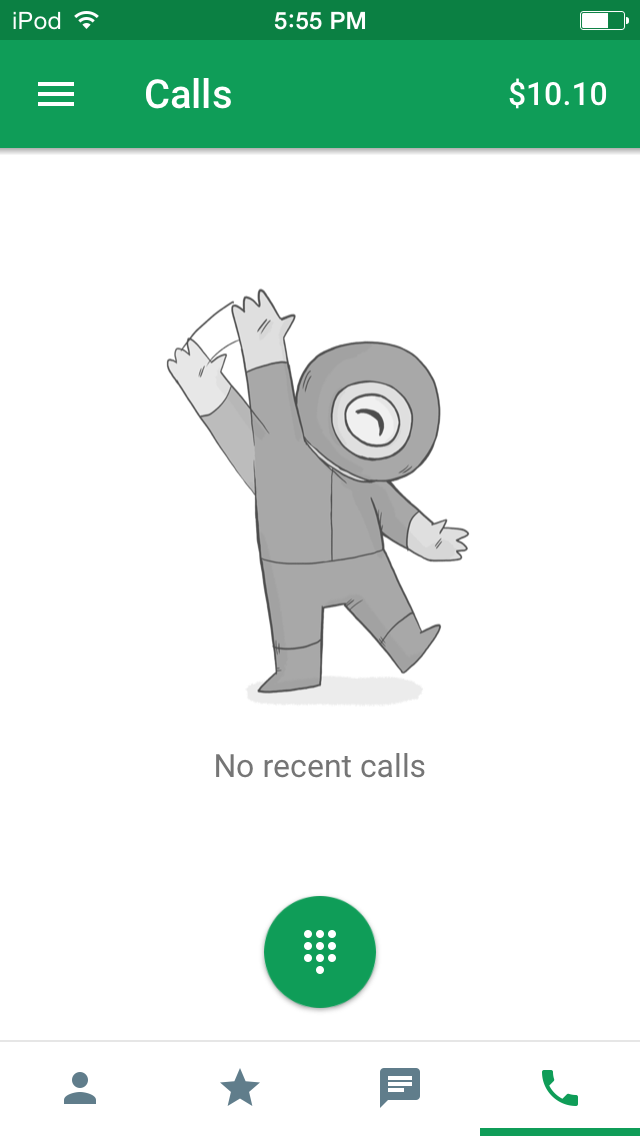
Google Hangouts gets an major update today! It has finally gotten the Material Design refresh for the app! Yes! But, wait... This update has only come to the iOS devices for now? No Android update just yet. As usual, iOS is getting the major updates from Google's app first this time. As we all knew about the much needed revamp for Google Hangouts. Still don't understand why the wait and why did Google go ahead and release it first to iOS? The crazy mysteries of developing I guess. But below are more images of the refresh look for Google Hangouts app. So are you happy for this update? Do you use Google Hangouts app?  Why or why not. Drop these comments below! Hands-On Videos coming soon!


GOOGLE HANGOUTS V 4.0 Video


Friday, June 26, 2015

Free e-Book FRIDAY Episode 1


WITCH HUNT (Free E-Book of the day on Nook)

Hello everyone! Here is my first episode of the month! Today, you can download this free ebook now to start kick your Friday and weekend! This ebook is available now on the Nook app or your Samsung Galaxy Tab 4 Nook. Check it out! I'll leave a quick description below.  


QUICK DESCRIPTION:


There are scratches on Cèsar Hawke’s arms, a discharged Glock on his coffee table, and a dead woman in his bathtub. Yeah, maybe he brought the waitress home for some fun — he was too drunk to remember it — but he knows for a fact that he didn’t kill her. He’s an agent with the Office of Preternatural Affairs. He doesn’t hurt people. He saves them.

DOWNLOAD EBOOK HERE:

Tuesday, June 9, 2015

Android M App Drawer in Google Now Launcher


Hey guys, you can now use the new app drawer from Android M in the Google Now Launcher. This app drawer is a vertical drawer. It organizes your apps in alphabet equal order.  It will also show you your 4 most recent used apps as well. This app drawer comes with also a search bar within the drawer so you can search for an app if you cant find it. So, if you don't want to root or download the Android M Developer Preview, you can download the Google Now Launcher and the zip file for the Android M app drawer. 

Wednesday, April 22, 2015

"Hello" is the New Dialer App By Facebook


Facebook has launched another mobile app, this time is now the "Dialer" which integrates with Facebook to show more information about who's calling you and automatically block people  who are already blocked by many other people.  You can even search through your contacts for people and businesses right from the dialer app. You will also to be allowed to use the dialer right from the Facebook Messenger app. You are also allow to make free calls and text via wifi for free on this app. So we can actually say that Facebook is really in control of your smartphone now.  Are you all convinced yet? Leave your thoughts below on the new app from Facebook. The app is now available on the Google Playstore. 


Friday, April 17, 2015

Google Drive on Android Has a Hidden Feature... Your Apps!


Hello everyone again! It is just one of those days where its Google Time! Today, I was just going through my Google Drive scrolling away and notice that I am on FULL with my Drive storage! Oh No! Not to worry, I figured out why I was on full and will get to deleting as soon as I can.  But, that is not the only thing I am here to discuss with you all.  I also notice as I was scrolling across the middle of the app, I seen the Google toolbar (at least that is what I call it).  The same black bar you see on your Chrome browser.  I seen tabs that read my Google plus name, Search, Images, Play, Gmail, Youtube, and More.  I touched where my G+ display was located and seen my notifications appear and I was amazed! You can view your Google+ notifications and comments right inside the Google Drive application! That is freaking awesome!  I would have never known that at all if I hadn't come to my storage options.  Plus, there is more.  You can also open your Youtube app, Google Play, Gmail and even Maps app right from the Google Drive app!  Whether you feel this is a hidden feature or not, I truly believe this is something that is very useful when you are in a multitasking mood.  It may not WOW everyone, but I am sure you all are going to love this in many ways than I can imagine.  So guys tell me what do you all think about this? Is it a hit or miss?  You know what to do.  Drop those comments down below...

Google+ Notifications are hidden within the Google Drive App for Android! Watch Video!

Google Apps can be launched right from the Google Drive application! Watch Video Now!

The Google Handwriting Input App


A couple of days ago, Google somewhat quietly released a handwriting tool app called "Google Handwriting Input" application on the play store.  This app will allow you to handwrite almost anything.  From your messages, to emails, to note taking.  Instead of typing, swyping, or voice input, you are now able to use your own handwriting to input into words.  Now, if you don't have very good handwriting, you are not alone.  The application will auto correct your writing.  This app also includes over 82 different languages for inputs.  You can even draw out you ejimos and symbols as well. Below in the videos will show you hands on on how to use this app on your Android device and how to setup the app as well.  If you have this application, tell me what do you think about this app so far?  Is it coming in handy for you now than ever before? Why do you think it took Google so long to release such an app?  Thanks for your reading and viewing. 


Google Handwriting Input App Review


Google Handwriting Input App Hands-on Video

Tuesday, April 7, 2015

HBO NOW is out on Apple TV and iOS Devices


                                                 HBO NOW available on iPhone, iPod Touch, iPad, and Apple TV

A month ago, Apple and HBO had announced this great partnership.  HBO app was coming to iOS and the Apple TV.  Unfortunately, this is a exclusive deal only.  So if you do not have a Apple device such as the Apple TV or iPad or iPhone, then you are out of luck.  This will be great for on the go and for people that do not use cable or DirecTV.  Maybe this will be the break out of the quote "Cut the Cord" or "Cut the Cable".  Now with the HBO Now, all you would need to watch it is internet access or Data such as 4G and LTE.  There is a subscription for this great app. You sign up first, if you haven't already, then you try it out for 30 days. After your 30 days are up, then you will be paying $14.99 per month for HBO.  For this and the price, do you think it is worth it?  Is this enough for you to stop paying for cable and DirecTV? Do you already not have NetFlix, Hulu and Crackle accounts to watch all the movies and best originals? What about the Amazon users, Androids, and Windows users? How do you all feel about the HBO NOW being only available on iOS and Apple TV? I'm sure you all have a lot to say about Apple and HBO.  Well, don't just sit there. Drop them comments below!

Clean Master App Drawer and App Folders


For those of you that may not know of Clean Master app and Cheetah Mobile. They have some cool neat apps and hidden features within these apps. Now, the images that are shown (above and below) give you a little sneak peak of what it looks like and what they do. The App folders organizes your applications by categories. For instance, Books and News apps in one folder, games, then you have your media such as music, movies, and TV shows apps in another one. It also even comes with its own app drawer as well. It will even show you apps that users are even using near by based upon your location shown at the bottom of the app folder when opened (Shown below).  All of your apps will be in alphabet equal order from A-Z. I must say its a neat feature and function within the Clean Master application developed by Cheetah Mobile. The folders also boost load time up to 30% for each app.  It will even boost your load times on games. I demo this in a upcoming video.  So keep posted and up to date from this site.  More to come.  So what do you all think about these features and functions? Have you tried out the Clean Master application? If not, you can download it now for free on the Google Play Store.

(CM app folder opened showing all related apps including apps people use nearby)


(The All Apps box allows you to get to all of your apps in Alphabet order and also shows most recent apps used as well)


Device Assist App by Google Inc


This app provides you with tips and tricks and troubleshooting to help you get the most out of your device. 

Get help that will detect issues.  Whether its your GPS, connectivity, battery, etc.

It will help you explore new features and improve the performance of your device.

For Nexus and Google Play Edition devices, you will gain easy access to live Google Support.

This app is available to Nexus, Google Play Edition and Android One devices that are running Android 5.0 lollipop or higher. 


Friday, April 3, 2015

Yahoo Weather App


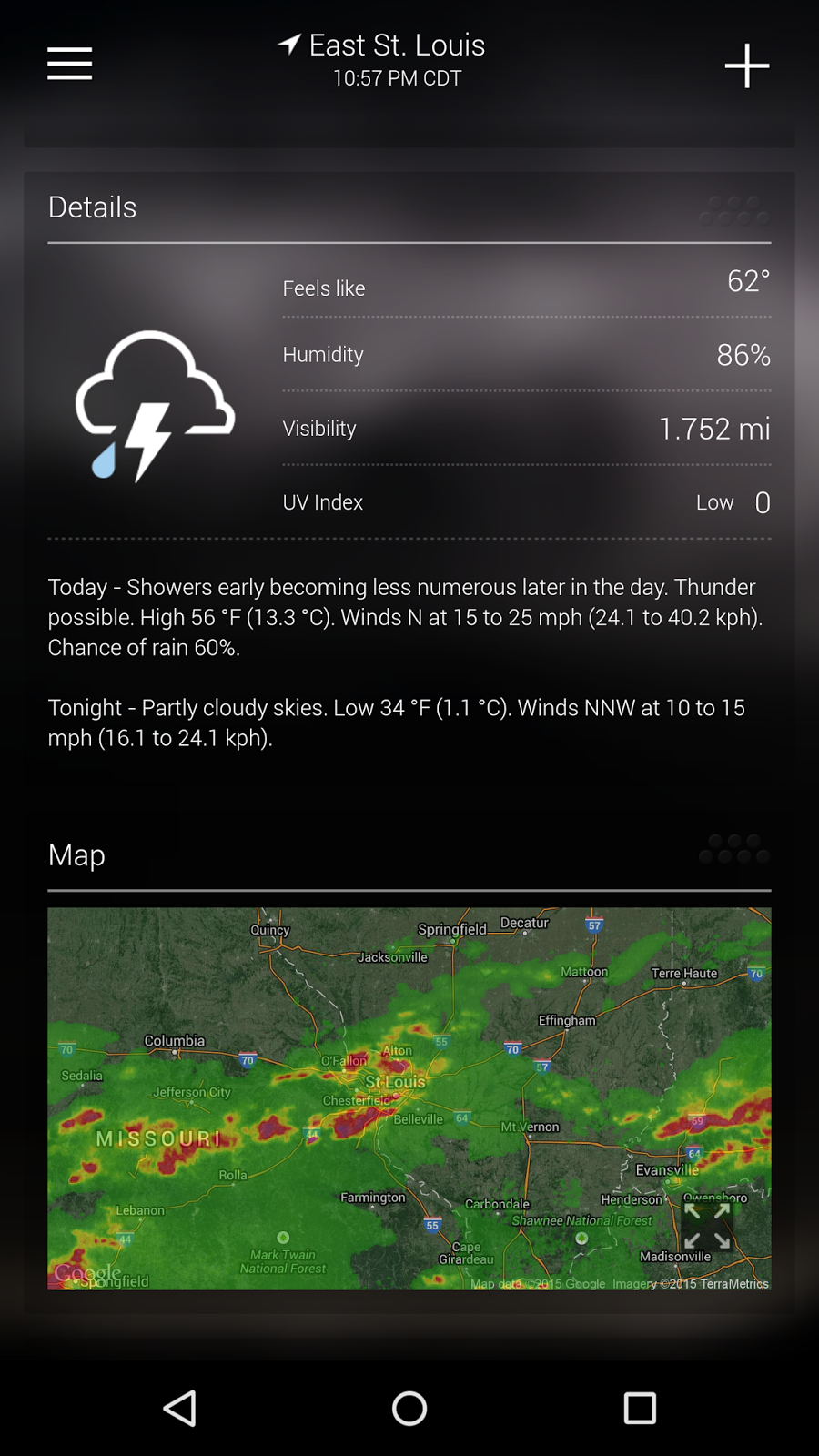
The yahoo Weather app is one of the best, if not the best, to keep you posted about the latest weather updates in your area and even near by.  You can even search other locations and see what the weather is like in other places as well.  It shows hour to hour stats, 5 day forecast, and even 10 day forecast.  You can even see the current weather conditions right the mini radar Map in the app itself.  Plus, there are plenty of different widgets you can use to place on your homescreen of your Android device, weather its a smartphone or tablet.  I definitely would recommend this app for anyone that wants to keep track of incoming weather for today, tomorrow, and even 10 days from now.  So what is your favorite weather app and why? Have you downloaded the Yahoo Weather app yet? Well maybe you should.  Leave comments below. Thanks!

Sunday, December 14, 2014

YouTube App Update Material Design

YouTube for Android devices finally gets the Material Design treatment. The differences are that each person's channel gets a different style of color and the look is much more appealing on the eye.  check out the  hands on video after the break...